
Hello!
I am excited to once again announce several significant updates that extend the functionality of the nudge® platform, and continue to ensure smooth integrations now and in the future!
Since our last product bulletin, we've extended our campaign offering and made it simpler to compose engaging messages. We are also in the final stages of releasing two-factor authentication for logging into the nudge® portal as well as releasing new versions of our mobile libraries that maintain compatibility with the traditional fall major Android and iOS updates. See below for more details.
I strongly recommend that you subscribe to announcements like this to stay informed of updates on a regular basis. Just click the Follow button on the main Announcements section of our Help Center.
Sincerely,
Kurt Schaldenbrand
| VP of Product, Larky | https://nudge.larky.com/ |
| kurt@larky.com | 734-223-0657 |
Campaign Gallery
|
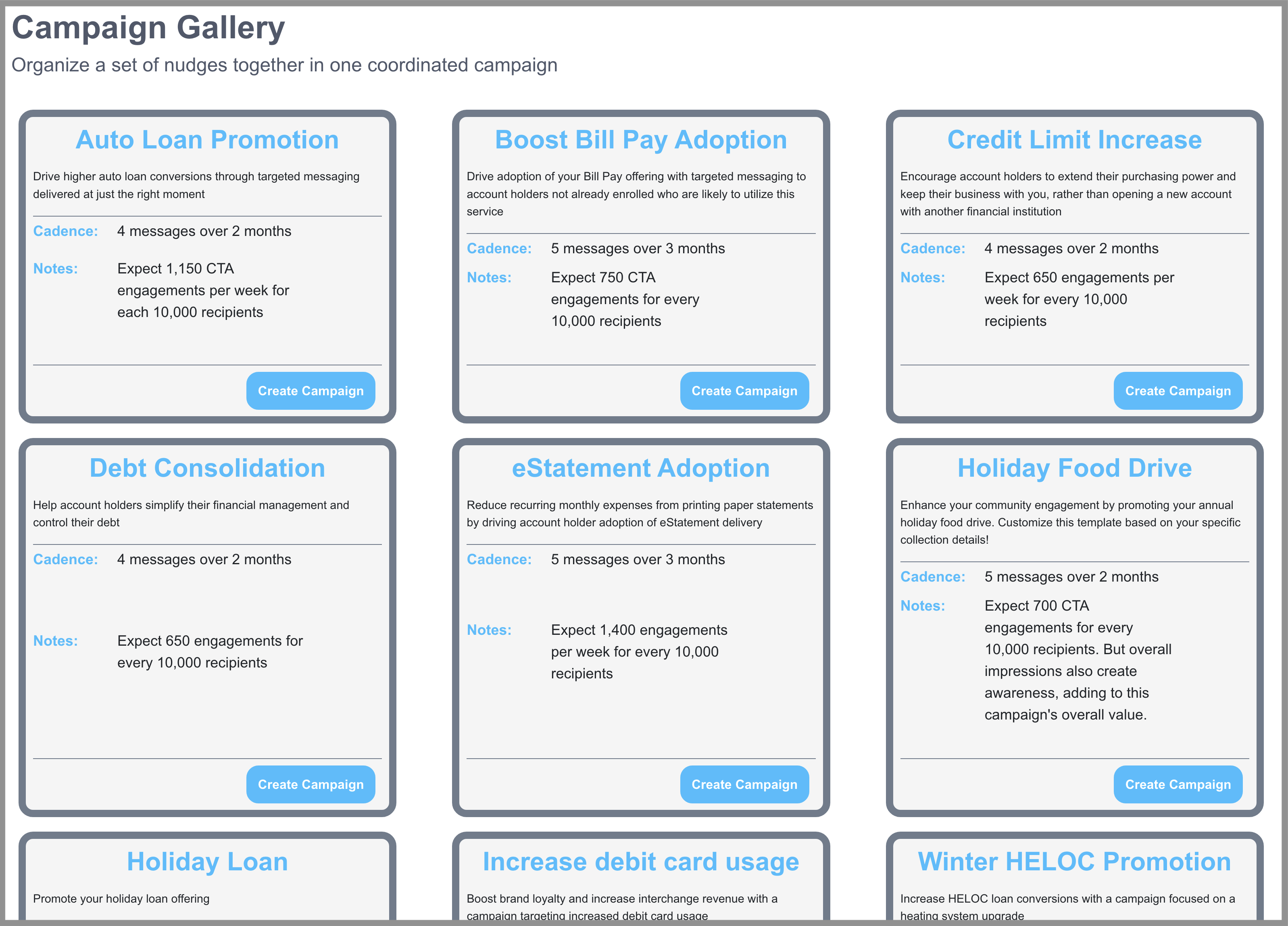
We are excited to announce the release of our Campaign Gallery in the nudge® portal, a collection of pre-defined campaigns that can be used as-is or tailored to your own needs. This new screen is available in the Campaigns menu; simply open it to preview the available options, and then click Create Campaign to see the details for any given selection! Note that the campaign itself won’t be saved to your My Campaigns section unless you click the Create button on the details screen.
|
 |
Emoji keyboard 😀
| Here at Larky we’re big fans of including emoji in messaging because we know it can help to create better engagement when it comes to push notifications. We know that many of our clients love them, too! To make it even easier to include them in your messaging, we’ve recently released the Emoji Keyboard to the nudge® portal. Now, when crafting a new nudge® message (or updating an existing one), it’s as simple as clicking the drop-down just above the message title or body. Choose the image that suits your voice and message and it will be inserted for you. Easy as 🥧! |  |
Coming soon: New mobile library updates
Our mobile libraries are being updated to be compatible with the latest releases of Android 13 (released 8/15) and iOS 16 (expected mid-September). For this year's iOS update, the new Larky library delivers enhanced analytics that are helpful for financial institutions to gain accountholder insights. We recommend you update to the latest version with your next app refresh.
A significant change is in Android 13, where users will now be prompted to permit an app to send them push notifications. Previously, no permission was required on Android and apps were free to send notifications without any user consent. With Android 13, the functionality now matches what iOS has been doing for a number of years.
With this in mind, our latest Android library now follows the best practice pattern of prompting for notification permission as part of the initial startup process. If the mobile banking app has already prompted for the permission, we respect the choice already made by the app user and don’t prompt again. If the notification permission is denied, essentially disabling the nudge functionality, we won’t then prompt for any location permission since that wouldn’t be used by our platform. Note: This doesn’t prevent the mobile banking app itself from prompting for location, if for example it needs that for an ATM locator service within the app.
Both the iOS and Android libraries are in their final phases of testing and documentation, and are expected to be available in the second half of September. An announcement will be made once the final versions have been published. If you are an app developer and would like to have early access to our release candidate libraries, please just contact us at support@larky.com and we would be happy to accommodate you!
Also coming soon: two-factor authentication for portal logins
Enhanced security for Larky nudge® portal accounts through two-factor authentication is right around the corner. Starting this fall, portal users will be prompted to add a second form of authentication to their Larky credentials. The process to register - and to authenticate afterwards - is quick and easy, and we’re always available to help if needed.
Google Play Data Safety Section
Joining our articles on completing the Google Play Permissions Declaration Form, and the Apple App Store Privacy Details Declaration we now have an article for Google’s new requirements around the Google Play Data Safety Section. We will continue to publish material like this to support our mobile banking partners as both Apple and Google update and extend their app publishing requirements.
Comments
0 comments
Article is closed for comments.